 ObjectExplorer
 Find one image in four thousand?
The folder is a grid of pictures.
A model wrote four thousand images into a bucket overnight. About ten of them were what I wanted. I needed to find those ten, and the console showed me four thousand filenames, each a long string of digits.
Today
The console lists objects. For an image that means a name, a size and a date, the same as for any other file. I clicked one and got a details page with a download link. Clicking through four thousand of those was not going to happen.
So I synced the whole prefix to my laptop from the terminal. Four gigabytes. When it finished I opened the folder in a photo viewer, scrolled through it, and picked the ten that worked. Then I deleted the local copy, because I didn't want four gigabytes of rejects on my disk. Every one of those four thousand images was downloaded once, paid for once as egress, and looked at for a fraction of a second.
- Cloud console4,000 filenames
- Terminalsync whole prefix
- Photo viewerscroll, find ten
- Terminaldelete the copy
Nobody did anything wrong. The console showed the objects the way it shows all objects. The sync command did exactly what it says. The shared assumption was that looking at a picture in a bucket requires the whole folder to be on my disk first.
Ideal
So what did I actually want? To see the pictures, a screenful at a time, and pick. A folder of images should look like a folder of images, the way it does on every phone.
The question is what that costs. A screen shows a few dozen cards. I scroll through the rest at the speed I can look, and most of them I never stop on. So the cost that matters is not four thousand images. It is the images on the screen, plus a few just below it so they are ready when I get there. Everything I never scroll to should never be fetched.
That is only half the saving I hoped for, and it took me a while to see why. My first idea was that a thumbnail is a small part of the file: many camera JPEGs carry a small preview near the start, which a Range request can fetch on its own. But images from a model are usually PNGs, and a PNG has no standard place for a preview. For those, the only honest options are to fetch the image, or to have something inside the cloud make a small copy first.
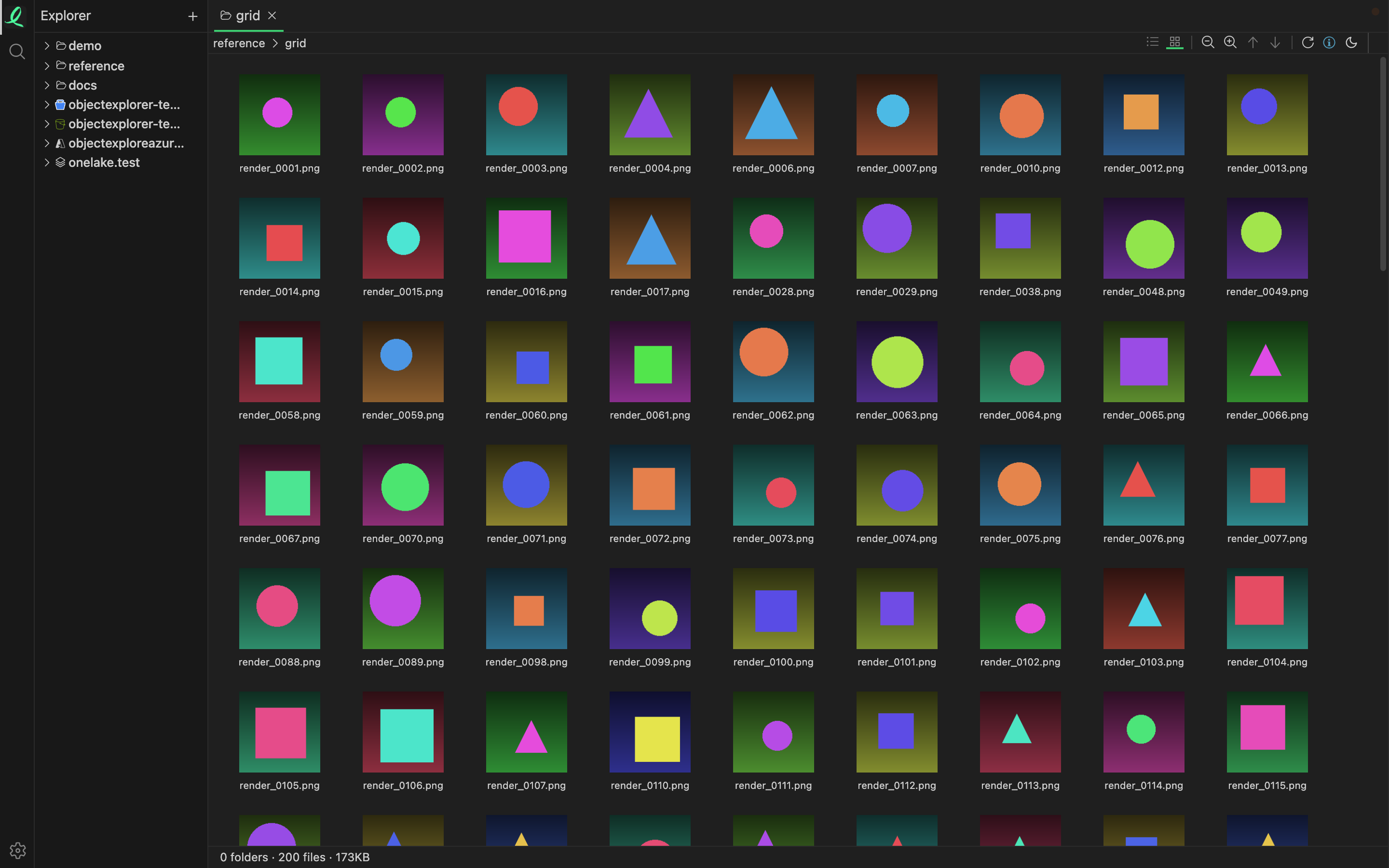
That is a folder of generated images in the grid view. In the code, each card starts as an icon and swaps in the real picture only when it comes within 200 pixels of the visible area; a card I never scroll near never asks for its image. The listing itself arrives a page at a time, a thousand objects per page on S3 and Google, and the next page is requested as I reach the bottom.
Where it stops
Each card that does load, loads the whole image, not a small version of it. There is no thumbnail step yet: no reading of an embedded preview, no resizing on a server. So for large images, the grid is cheaper than a sync only by the images I don't scroll to, and if I do scroll through all four thousand, I have downloaded all four thousand.
What it does remove is the local copy, the photo viewer, and the delete afterwards. I think the real fix for generated images is a small copy made next to the original, and that is not built.
The folder is a grid of pictures.