 ObjectExplorer
 Move files across clouds?
Drag and copy.
A project was moving from one cloud to another, and I was asked to bring two hundred gigabytes of files across. I did it through my laptop. The files came down over the office wifi and went back up again, and I lost a day to it.
Today
Each cloud has its own command line, and each one is very good at exactly one side. The first cloud's tool will copy from its buckets to my disk. The second cloud's tool will copy from my disk to its buckets. Neither will talk to the other, because neither has any reason to hold credentials for a competitor.
So I copied the whole prefix down, and waited. Then I copied it up, and waited again. The first cloud charged egress on every byte that left it. The copy on my disk sat in my Downloads folder for a month afterwards, because I forgot it was there.
- First cloud CLIcopy down 200 GB
- Laptopa day on wifi
- Second cloud CLIcopy up 200 GB
- Billingegress on every byte
- Downloads folderforgotten for a month
None of that was a mistake. Both command lines did what they promise. The shared assumption was that a copy between two places has to go through a third place that I control, and the only such place was my laptop's disk.
Ideal
So I tried to think about what I actually asked for: these files, over there. Both ends do the same three things. They list, they read, and they write. A read from one side is a stream of bytes, and a write to the other side takes a stream of bytes. Nothing in between needs to keep them.
That splits the problem in two. Inside a single cloud, the bytes should not move at all, because every cloud can copy an object on its own servers: S3 has CopyObject, Google has a rewrite call, Azure has Copy Blob. Between two clouds, something has to hold both sets of credentials and connect the read to the write. It does not need to write the file to a disk, and it does not need me to type two commands and wait twice.
The last part is the gesture. If both clouds are in one tree, a copy is the same thing it has been on every desktop for decades: drag the file onto the folder.
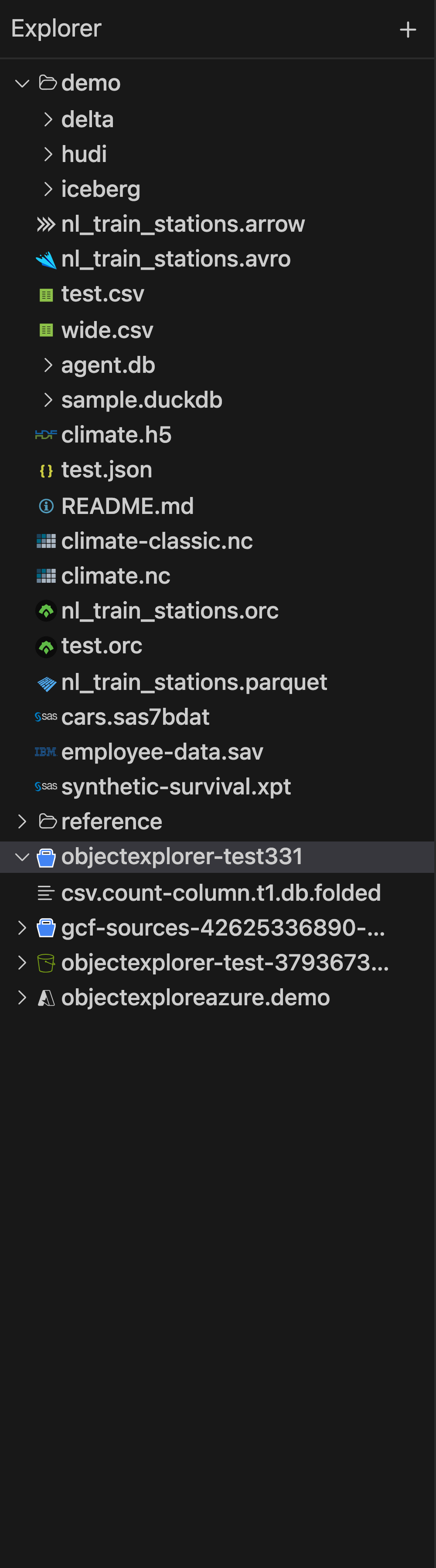
That is one tree with a local folder and buckets from three clouds in it. In the code, a drag within one root is a move and a drag to another root is a copy, and the modifier keys switch between them. When both ends are the same cloud, the cloud's own copy call does the work. When they are different clouds, the source is opened as a stream and handed straight to the destination's write, so the object is never held in memory and never written to disk. Afterwards the destination is asked for the size it now holds, and a move only deletes the source, into a trash that Undo can reach, when that size matches.
Where it stops
Between two clouds, the bytes still pass through the machine running the app. On my laptop that is still my laptop's network, so the office wifi is still the speed limit and egress is still paid. What goes away is the disk copy, the second wait, the forgotten folder and the two sets of commands. What would take the laptop off the route completely is running the same thing on a machine inside one of the clouds, and I have not made that easy yet.
Inside one cloud the copy is the cloud's own, and I think that part is close to as good as it gets.
Drag and copy.