 ObjectExplorer
 What is ObjectExplorer?
ObjectExplorer is an explorer for cloud storage and local folders — for you, and for the agent working beside you. It puts Amazon S3 and any S3 compatible provider, Google Cloud Storage, Azure Blob Storage, Microsoft OneLake, Google Drive, OneDrive, Dropbox and Box, and every folder on your disk, in one tree — and opens what is inside them, including the formats a cloud console will never render.
It is one native program for macOS, Windows and Linux. Opened from your applications, it is a window; typed in a terminal, run by npx or by Homebrew, it serves the same app to your browser from 127.0.0.1. There is no Electron and no Chromium, and there is no server of ours anywhere in the path between you and your bucket. Everything stays on the machine you run it on.
The same program runs as a server for a team, with your organization's sign-in — see deployment. And objectexplorer.com/app runs it in your browser with nothing installed.
How it fits together
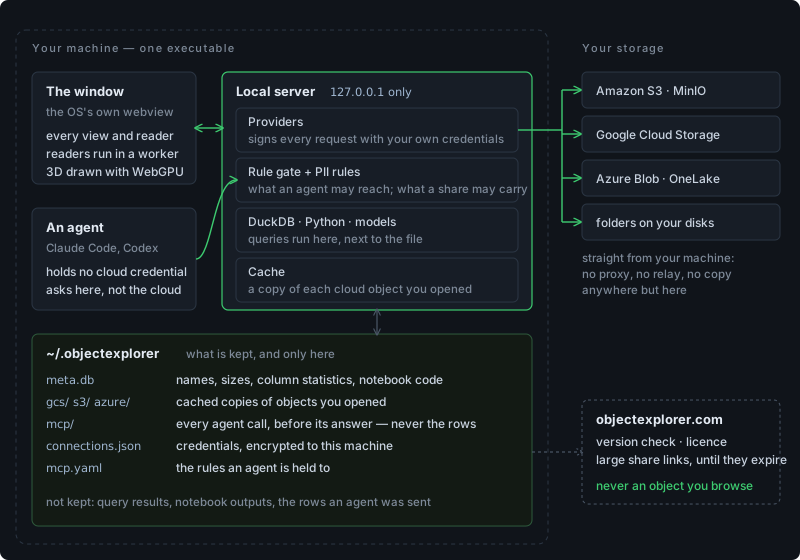
You and an agent ask the same app, and only the app talks to your storage, with your own credentials. What it remembers — names and sizes, notebook code, cached copies of cloud objects you opened, a log of every agent call — stays in ~/.objectexplorer on this machine. Query results and the rows an agent was sent are not kept at all. The whole picture, including the one folder it can write into your own buckets, is in how it works.
What it does
| --------------------- | ------------------------------------------------------------------------------------------------------------------------------------------------------------------------------------------------------------------ |
|---|---|
| Explores | every provider in one tree, as a list or a grid of previews, with copy, move, rename, delete and an undo that works across buckets — see the tree and the list |
| Previews | parquet, csv, json, SPSS, SAS, office files, images, audio, video, ebooks, databases, archives, and hex for everything else — see formats |
| Reads PDFs | in its own reader: select, find, bookmarks, thumbnails, and seven kinds of mark plus text notes of your own — see the PDF reader |
| Draws 3D | STEP, SolidWorks and CATIA parts, DWG drawings, glTF, FBX, Blender, obj and Unity models, GPU textures and live shaders — see CAD and 3D models |
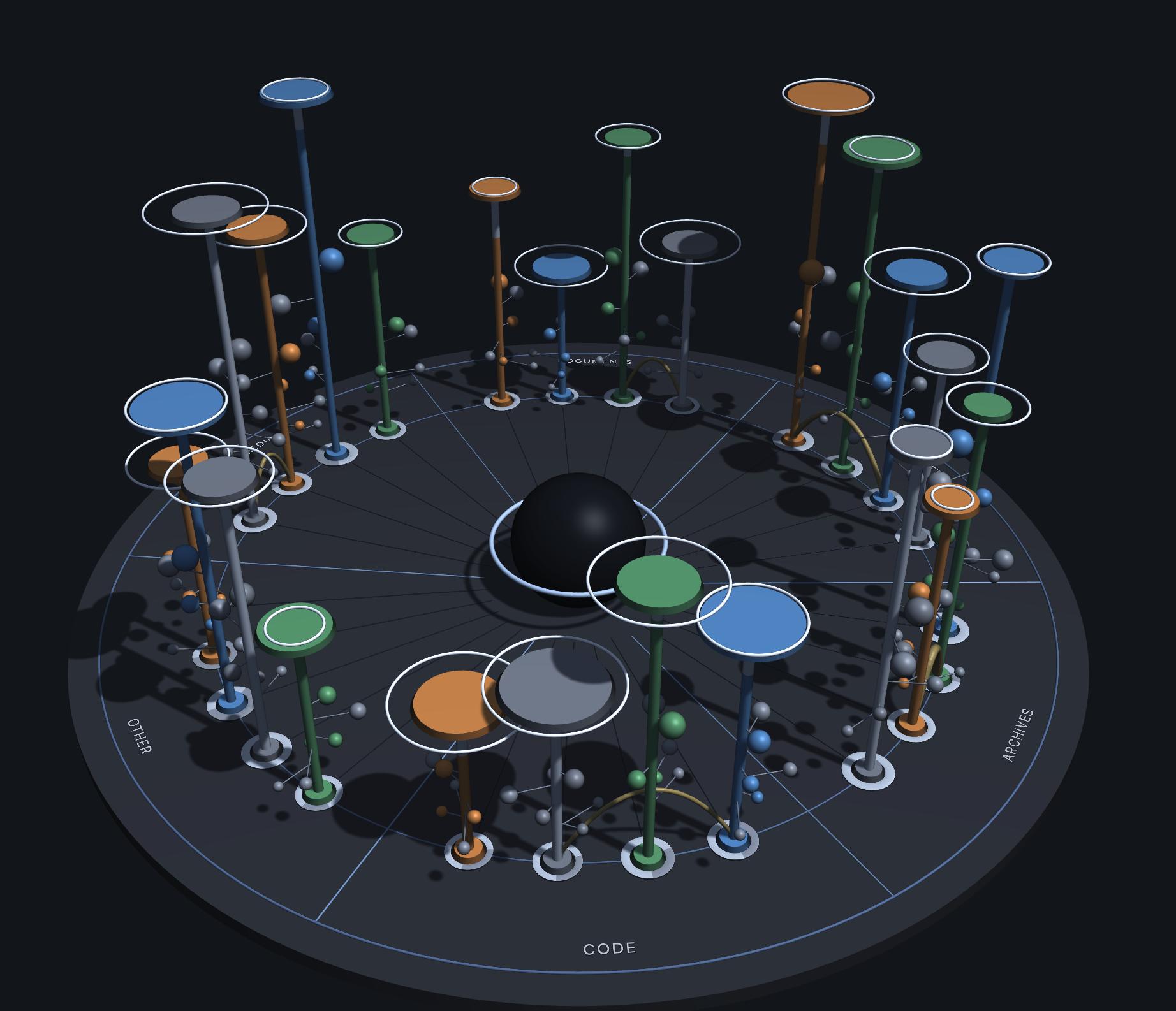
| Shows the bill | every bucket and folder on one disc: what each costs a month, what has gone cold, what is already on this machine, what nobody opens and what is being kept twice — see where the storage went |
| Cuts the bill | cheaper storage classes, one region, old versions and abandoned uploads, each priced, each a command you run — see optimize |
| Queries | SQL over the object where it lives, in its own engine, in a notebook that opens with the query already written |
| Reads tables | Delta, Iceberg and Hudi folders as one table, and their metadata as the history it is — see data lake tables |
| Searches | local folders and cloud prefixes in the same run — see search |
| Trains | a gradient boosting model over the rows on screen, with SHAP explanations — see models |
| Helps you write | Markdown edited in place, with passages and phrases from writers you chose beside it, and never a score — see writing |
| Answers agents | the same questions over MCP, decided by rules you wrote, PII rewritten on the way out and every call logged — see for agents |
It has two ways in. One is the window. The other is MCP: Claude Code, Codex or any MCP client on this machine asks the app instead of asking your storage — so it never holds a credential, reaches only the roots you ticked, and leaves a record of every call it made.
What it is not
It is not a sync client: nothing is mirrored to a folder on your disk behind your back; a drive is read through its own API, a file at a time. It is not a web service: no upload, no data-processing agreement, and no account needed to open a file. And it is not a viewer only — the file management half is there, with a trash and an undo.
Next: why it exists, how it works, or install it.