 ObjectExplorer
 Open the same file twice?
The second look is free.
One afternoon I opened the same file thirty-six times. It was nine hundred megabytes of data I was trying to understand. I would open it, check a column, close it, think, and open it again. Every one of those opens downloaded it again.
Today
Nobody files a ticket about this. It is just working. Each time I went back to the file I went back to the console, clicked it, and downloaded it, because that was the path my hands knew, and because I had deleted the previous copy or couldn't remember which of the copies in Downloads was current. Thirty-six looks at nine hundred megabytes is about thirty-two gigabytes out of the cloud in one afternoon, and egress is charged on every byte. The file did not change once in that time.
- Cloud consoledownload, look
- Cloud consoledownload again
- Cloud consoleand again
- Billingevery look paid
The console did nothing wrong. It hands over a file when asked. The shared assumption was that every look at a file in the cloud is a new download, as if the file might have changed since a minute ago.
Ideal
So I tried to think about what actually needed to happen. The file came down once already. My disk had room for it. The file didn't change while I was looking at it. What I needed on the second look was not the file again. It was an answer to a much smaller question: is the copy I have still the right one?
Web browsers worked this out a long time ago. They keep what they fetched, and before using it they ask the server whether it is still current, which is a request with no body. Every cloud's storage API will answer a metadata request for an object, with its size and when it last changed, without sending a byte of the object.
So keep the copy. On the next look, check it against that small answer, and download again only when it no longer matches. And because a saving that nobody can see is a saving nobody trusts, count it: every read that was served from disk is bytes that did not leave the cloud.
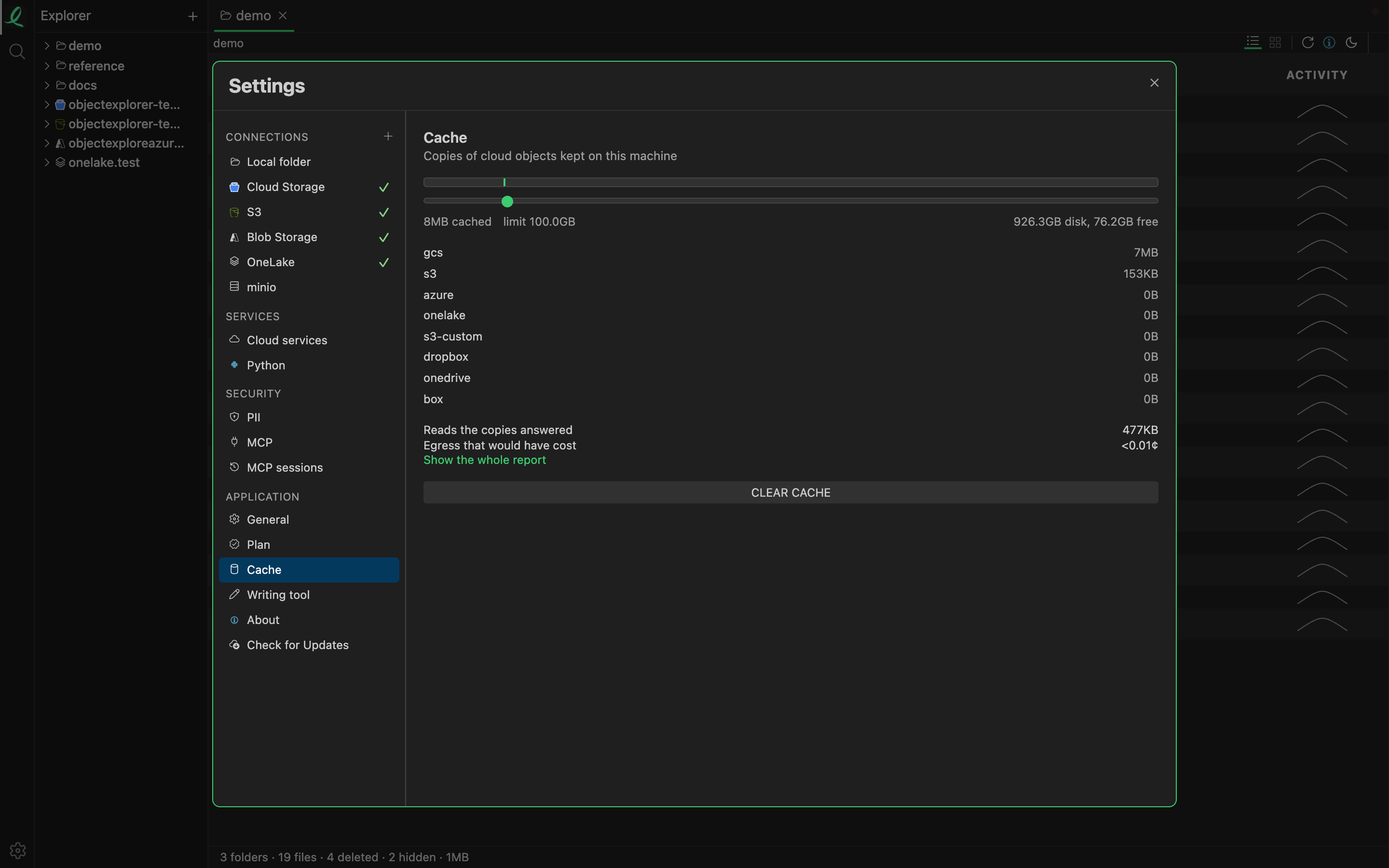
That is the summary of the report that counts it; the whole report has a row per object. In the code, objects from all three clouds are cached on the local disk by default, under the app's own folder. For each object it counts reads and actual downloads, and the bytes avoided are the reads beyond the first download, times the object's size. The money column prices those bytes, plus the requests that weren't made, at each cloud's published internet egress rate, kept in the same rate tables as the storage costs.
Where it stops
The check is weaker than a browser's. A cached copy is used when it is less than a day old and its size still matches what the cloud reports. It doesn't compare a version tag. A file rewritten with exactly the same size within that day would be served from the old copy, and a file that hasn't changed at all is downloaded again after a day anyway. I think both are rare, but the first one is the kind of rare that matters.
The saved money is also an estimate: it uses the published rate for egress to the internet, not whatever discount an account may have.
The second look is free.