 ObjectExplorer
 Count yesterday's files without a script?
Ask the question. Get the answer.
I wanted to know how many files had landed in a folder yesterday. The question took four words. I answered it with forty lines of code, which I deleted as soon as I had the number.
Today
The console lists a folder and shows a date on each file. It doesn't count them for me. So I opened an editor.
First the keys: I found the credentials, and put them where the SDK would find them. Then the loop. The listing comes back in pages, so the loop has to ask for the next page until there isn't one. Then the date comparison, with a time zone, because "yesterday" means something different in UTC. I ran it, fixed the paging, ran it again, and got a number. Forty minutes. Then I deleted the script, because I will never need that exact script again.
- Cloud consoleno way to count
- Cloud consolefind the keys
- Editorwrite the loop
- Terminalrun, fix paging, run
- Editordelete the script
Nothing was wrong with the SDK or the console. The listing API is well designed for what it is. The shared assumption was that a question about a bucket has to be translated into a program before the bucket can answer it.
Ideal
So I tried to start from what I had. Before I touched the keyboard, I had the whole question in plain words. The words were the job. Everything after them was translation, into the language the storage API happens to speak: keys, pages, timestamps.
Translation is now something a language model does reasonably well, if it can reach the data. The question then is only how it reaches it. Not with my keys pasted into its environment. Through a door that already holds the sign-in, answers small requests like "list this folder", and writes each request down.
With that, the question stays a question. I ask it in words. The agent turns it into a listing, reads the dates off the listing, counts, and tells me the number. I never see a key or a page token, and the forty lines are never written.
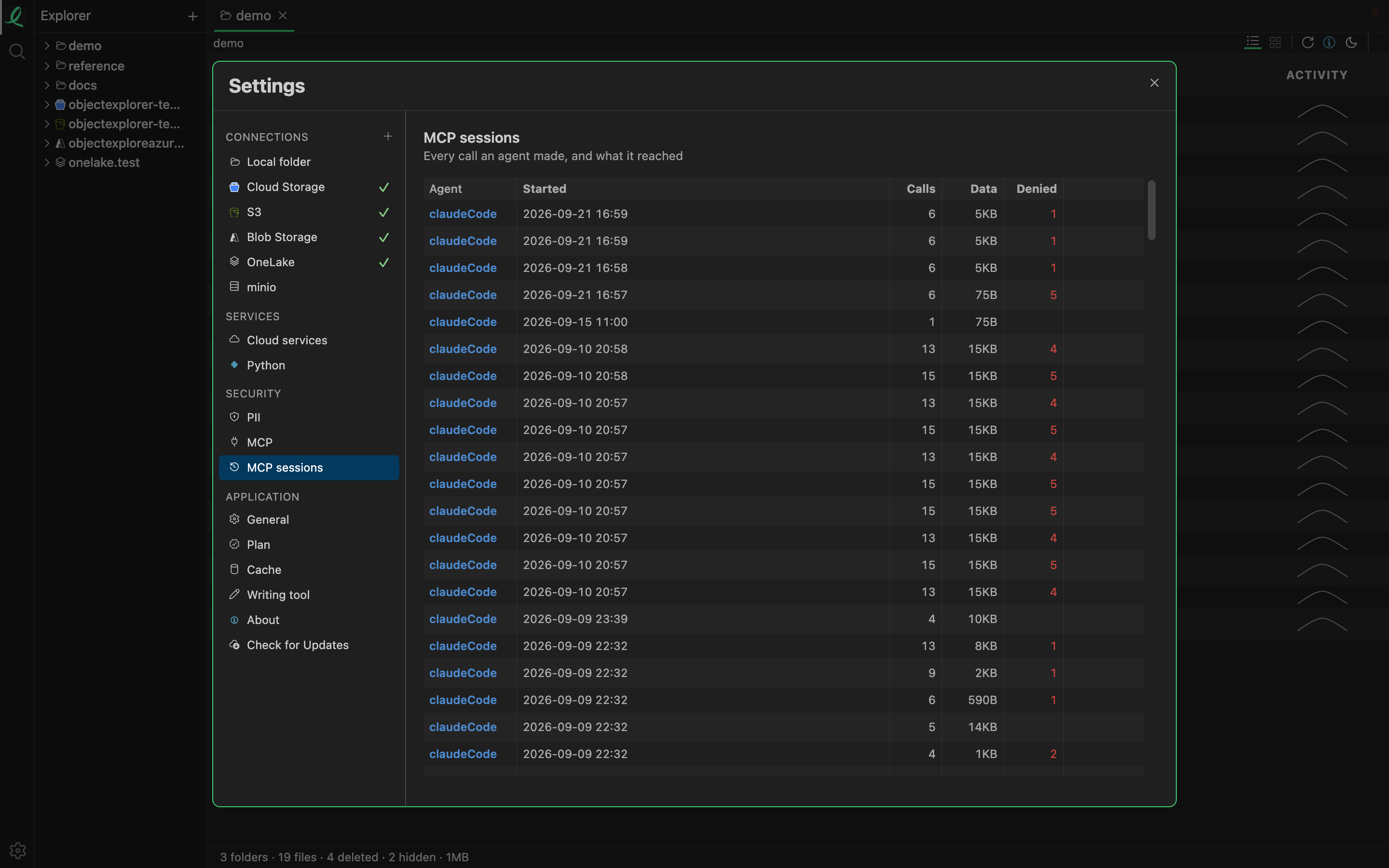
That is where a session like that is kept: one row per session, which opens to the calls the agent made, one after another, each written down before its answer went back. In the code, the tool the agent uses here lists the children of one folder and returns, for each one, its name, kind, size and modified time, which is everything a count of yesterday's files needs. The listing is filtered by the same rules as every other call, so a file the agent may not see is counted as hidden, not shown.
Where it stops
A listing is capped. By default an agent gets at most 1,000 objects per listing, and a setting can raise that to 10,000. A folder bigger than the cap answers with a flag that says it was truncated, and a careful agent will say so rather than give a wrong count. A folder with fifty thousand files in it is still a job for a script, or for a query over the listing, not for one call.
It is also one folder at a time. "How many landed yesterday, anywhere in this bucket" means the agent walking folders one by one, and every step of that walk is a call against the limits.
And the answer is only as good as the agent's arithmetic. The record shows exactly what it was given, so I can check. I think that is the right way round, but it is still a check.
Ask the question. Get the answer.