 ObjectExplorer
 See inside a zip without downloading?
Every zip has a packing list. Show it.
A build folder had forty zip files in it, each named with a timestamp. One of them was the build that had gone out, and I needed to know which. The only thing I remembered was a file I had changed on Tuesday.
Today
The console showed forty rows: a name, a size, a date. On AWS, Google and Azure it is the same three columns. None of them say what is inside a zip.
So I copied a path, went to the terminal, downloaded the zip, and listed its contents. Wrong one. I copied the next path and did it again. Each zip was a few hundred megabytes, so each guess was a download and a wait. Twenty minutes in, I was still guessing, and my Downloads folder was full of builds.
- Cloud consoleforty timestamped zips
- Terminaldownload one
- Terminallist the zip
- Terminalwrong one, repeat
Nothing misbehaved. The console lists objects; a zip is an object. The command line downloaded what I asked for, and the zip tool listed it. The shared assumption was that to see what is in a box, you have to carry the whole box home first.
Ideal
So I looked at how a zip is laid out. It is a box of files with a packing list at the end. Each file is stored one after another, and after all of them comes the central directory: one entry per file, with its name, its size, its date and where in the zip it starts. At the very end is a short record, 22 bytes when there is no comment, that says where the central directory begins and how many entries it has.
That means the packing list can be read without the box. Read the last few bytes, find the directory, read the directory. Every cloud will hand over just those bytes with a Range request. Then show the zip in the folder as what it is, a folder, with its files listed by name, size and date.
I measured one. The sample zip in the reference folder is 3,016,857 bytes. Its end record is 22 bytes and says the central directory holds 9 entries and is 829 bytes long. So the whole packing list is the last 851 bytes of the file, about three hundredths of a percent of it.
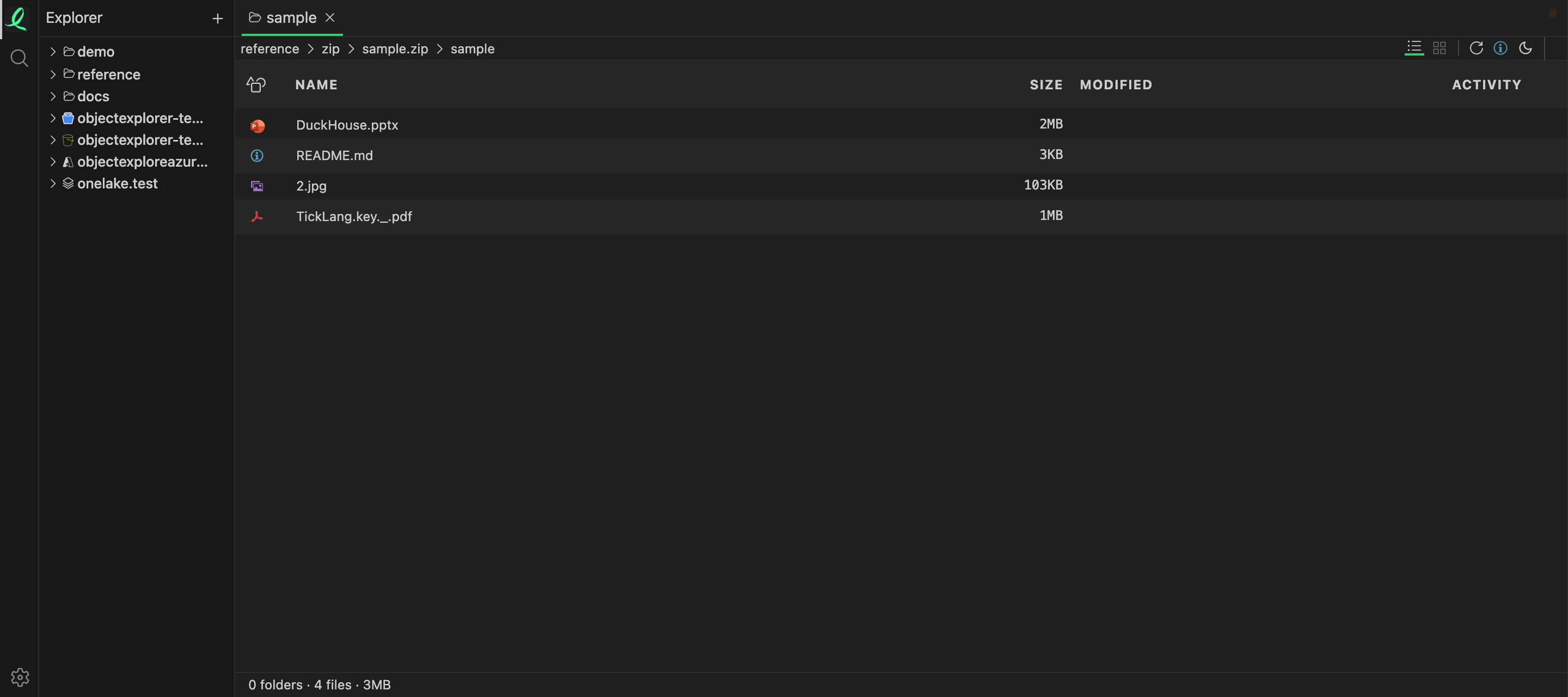
That is that zip, opened in place like a folder, showing the four files in its sample folder with their sizes. In the code, the zip reader finds the end record by scanning back from the end, reads the central directory into a listing, and opens any file inside on its own. It also reads zip64, the extension for archives over four gigabytes or with more than 65,535 entries.
Where it stops
The picture shows the right thing, but it gets there the expensive way. Today the zip reader works on the whole archive in memory, and when the zip is in a bucket, the app downloads all of it into its local cache before listing it or opening one file from it. For this 3 MB zip that is invisible. For forty builds of a few hundred megabytes each, it is the same forty downloads, only without the terminal.
What would make the ideal true is reading the last bytes first, with a Range request, and fetching a single entry by its offset when I open it. The format allows it. The code doesn't do it yet.
Every zip has a packing list. Show it.