 ObjectExplorer
 See your cloud costs?
Every folder shows what it costs.
The storage bill went up one month and somebody asked me which folder did it. I didn't know. I opened the billing page expecting to find out, and found one number per bucket, once a day, and nothing underneath it.
Today
The billing console could tell me that a bucket cost more than last month. It could not tell me which prefix inside it had grown, or which files. As far as I can tell that is not an oversight. The bill is assembled from usage records, and the records are per bucket and storage class, not per folder.
So I turned on the billing export, which writes those records somewhere I can query. The first file arrived the next day. I queried it and got the same per-bucket numbers in a table. To get to folders I listed the bucket myself from the terminal, summed sizes by prefix, and joined the two by hand. By the time the join was right the month had ended and the numbers had moved.
- Billing consoleone number per bucket
- Billing consoleturn on export
- Waitinga day for data
- Query consolequery the export
- Terminallist, then join
Nobody did anything wrong. The billing system reports what it bills. The export exports it. The shared assumption was that cost is something you learn about afterwards, from the bill, rather than something you can read off the thing that is costing you.
Ideal
So I tried to start from what a storage cost is. For keeping bytes, it is size times a rate. The rate depends on which cloud, which region the bucket is in, and which storage class the object has. All three clouds publish those rates, per gigabyte per month, and all three report the region of a bucket and the class of an object when you list them.
That means the list I was already looking at knew everything it needed. It knew the size of every file. It could know the rate. Multiplying the two is not analysis.
There are a few details that make it less trivial than it sounds. Cold storage classes bill a small object as if it were bigger: Google bills a Nearline, Coldline or Archive object as at least 128 KiB. Some regions are missing from a price list and have to fall back to a nearby one, and then the number should say it is approximate. None of that changes the shape of the idea.
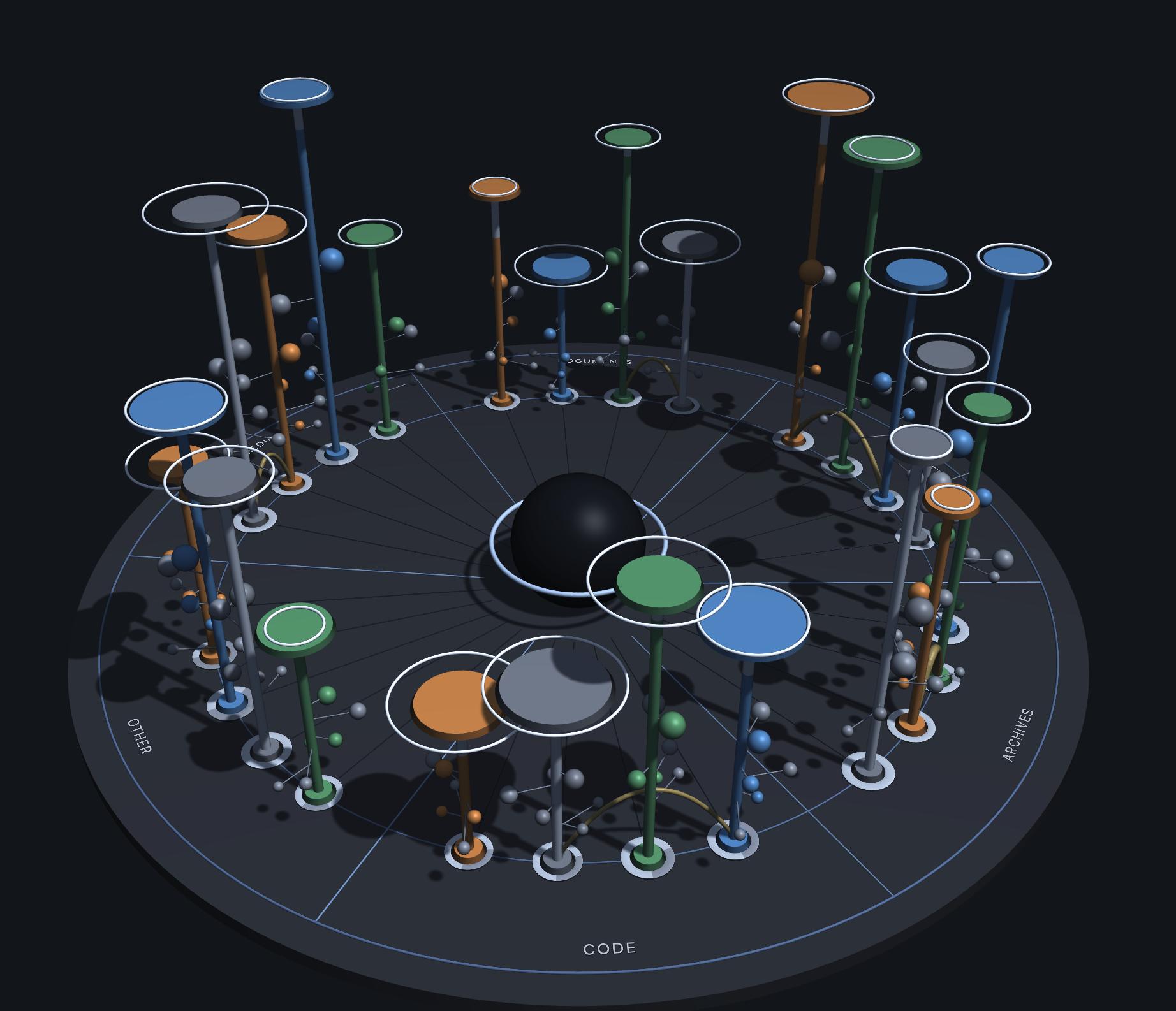
That is every bucket and folder I have, from all four places, on one disc. A pole is as tall as what it holds, and one switch makes it as tall as what it costs a month; its colour says which cloud it is on, and the sector it stands in says what kind of thing it holds. In cost, the tallest pole is the question from that morning, answered without opening a console. The list does the same per file: a cost per month in its own column, next to the size. In the code the rates are tables read from each cloud's own price list, the Cloud Billing catalog for Google and the AWS Price List for S3, kept per region and per class, and the calculation is billable bytes divided by a gibibyte, times that rate.
Where it stops
Folders in the list don't show a cost yet. The disc has a total for every bucket and for the folders it has measured, but a folder row in the list still has a button to compute its size and nothing in the cost column. The subtitle of this page is ahead of the list, if not of the disc.
It is also only storage. Requests, retrieval fees and early deletion charges are not in the column, and the rate tables are configuration that has to be refreshed when a cloud changes its prices. It is an estimate you can read in the list, not the bill.
Every folder shows what it costs.