 ObjectExplorer
 3D models
glb gltf fbx blend obj mtl, and Unity's unity prefab asset mesh mat animcontroller
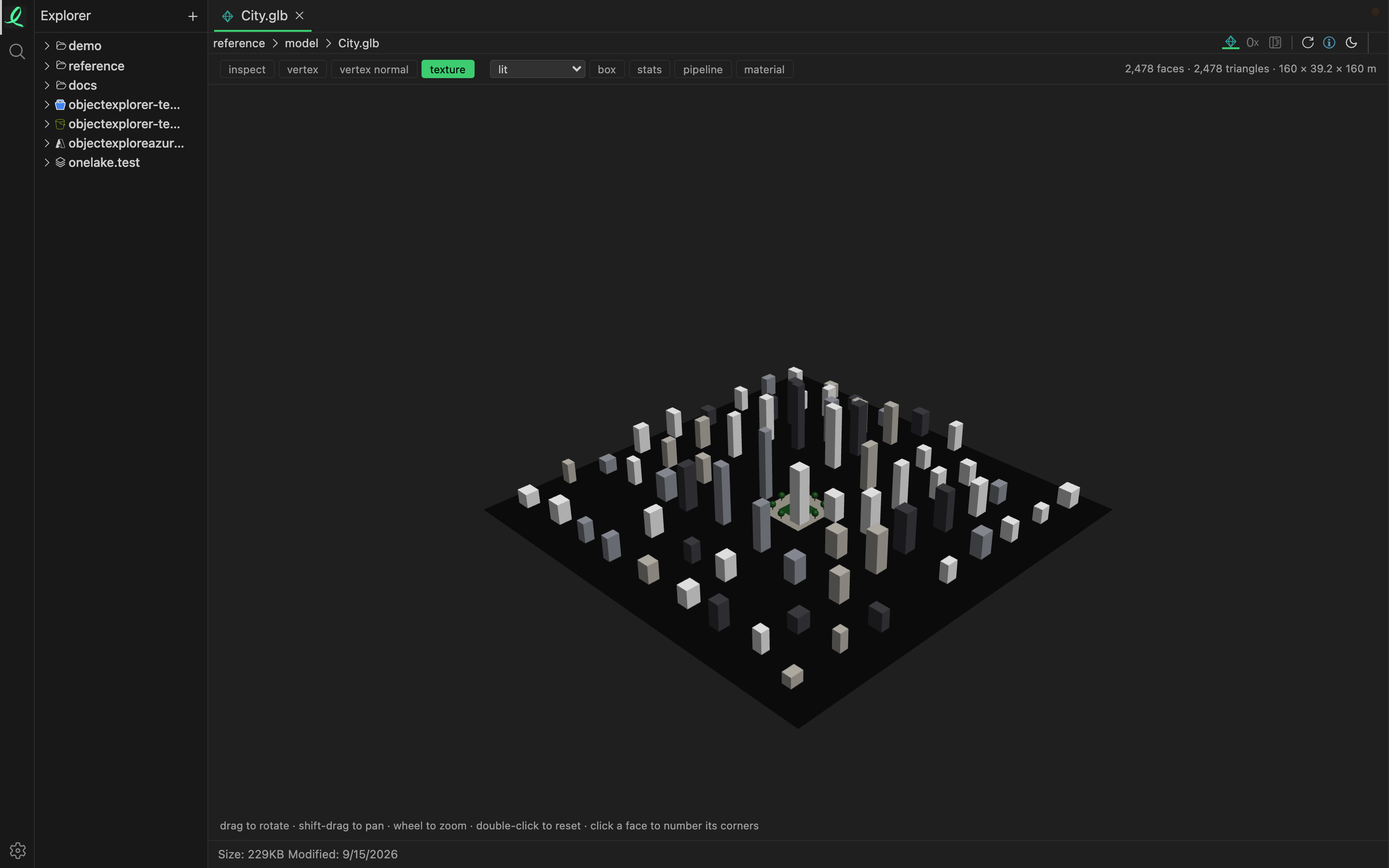
A model opens as the model: its meshes, its materials and its textures, drawn in place. No Blender, no game engine and no importer — the file is read as it is, the way the program that wrote it wrote it.
The toolbar
| Control | What it does |
|---|---|
| inspect | click a face to see which face of which mesh it is, with its corners numbered |
| vertex | show every vertex |
| vertex normal | show the normal each vertex carries |
| texture | the image the model is painted with, the picked face's coordinates ringed on it |
| the shading list | lit, normal, uv, checker, depth, wireframe or vertex colour |
| box | the bounding box |
| stats | vertices, triangles, faces, nodes, meshes, materials, textures, bones, clips, and an estimate of GPU memory |
| pipeline | the view's own shader, drawn as a shader diagram |
| material | a card of the picked face's material |
| skeleton, weight | a rigged model's bones, and how strongly each one pulls on the skin |
A click on a face turns it magenta, numbers its corners the way the file numbers them, and names the face, its mesh, its node and its material in a line above the model.
In the pipeline sketch, click a variable of the fragment shader and the model switches to the shading that shows it; click it again to go back to lit.
Animation
A file that carries clips gets a player: play, the clip, a scrubber, and rest, which puts the model back in the pose it was bound in. The model plays on a floor that slides beneath it, and the camera travels with it, so a run or a jump never leaves the view.
Wavefront obj
An obj opens as its model, and in inspect mode beside the text that makes it. Click a triangle and the caret lands on the f line that wrote it; move the caret and the model lights up whatever that line reaches. A file longer than 40,000 lines is drawn as its model alone — text mode still reads the whole file.
The mtl it names opens as its text, every line saying what it is, with the images its map_ lines point at drawn underneath.
Unity
A Unity text asset opens as its model where it has one, and always as its yaml tree. A .asset or .mesh that holds a mesh is drawn as it. A prefab names its model in another file of the project, by that file's guid, so the view looks for it through the .meta files beside the prefab. When that file is not there, it says so, and the yaml tab shows everything the prefab does say.
Moving around
Drag to rotate, hold Shift to pan, use the wheel to zoom on the pointer, and double-click to start over. Every control is on moving around a view.
A model is drawn with WebGPU, as a CAD part is, and the view says what is missing when there is none.
Next: textures.