 ObjectExplorer
 Tabular
csv tsv psv json jsonl ndjson parquet avro orc arrow feather ipc, and HDF5 and NetCDF as h5 hdf5 he5 nc nc4 cdf
A tabular object opens as a notebook: a SELECT * over it, the rows in a virtualized grid with column summaries, and a chart of what came back.
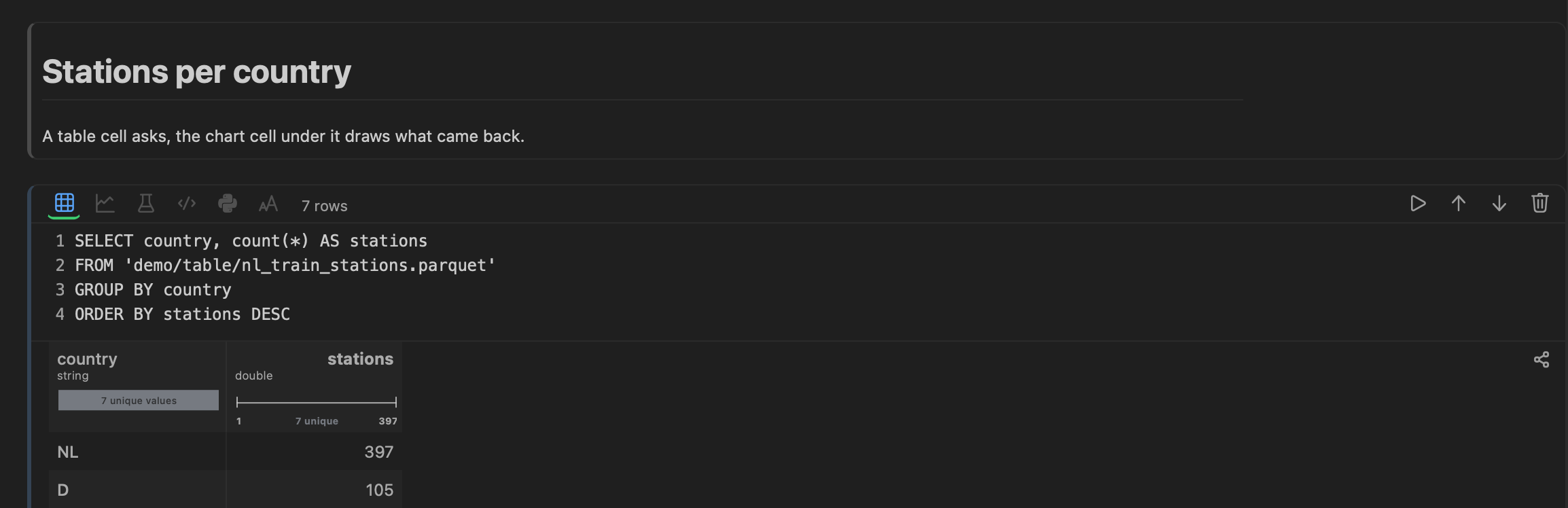
Every one of these is queryable with SQL, by the app's own engine: nothing is loaded into a database first, and two files of different formats join in one query.
A csv is split on commas, a .tsv on tabs and a .psv on bars, and its first line names the columns. Its table mode reads the rows a page at a time, however large the file. A JSON file reads as rows when it holds an array of objects, or one object a line; its text is a click away.
A workbook (xlsx) opens a sheet at a time — see documents.
HDF5 and NetCDF
An HDF5 or NetCDF file — NetCDF-4, which is HDF5 underneath, or the classic format — opens in the same notebook, a row for each dataset or variable it holds: its path, type, shape, element count, storage and filters, and its first values. Structure mode lays out how the file is put together. Which of the two formats it is, the first bytes decide.
Next: statistics.