 ObjectExplorer
 Shaders
wgsl, GLSL as glsl vert frag vsh fsh comp geom tesc tese, Godot's gdshader, and hlsl fx shader as a diagram
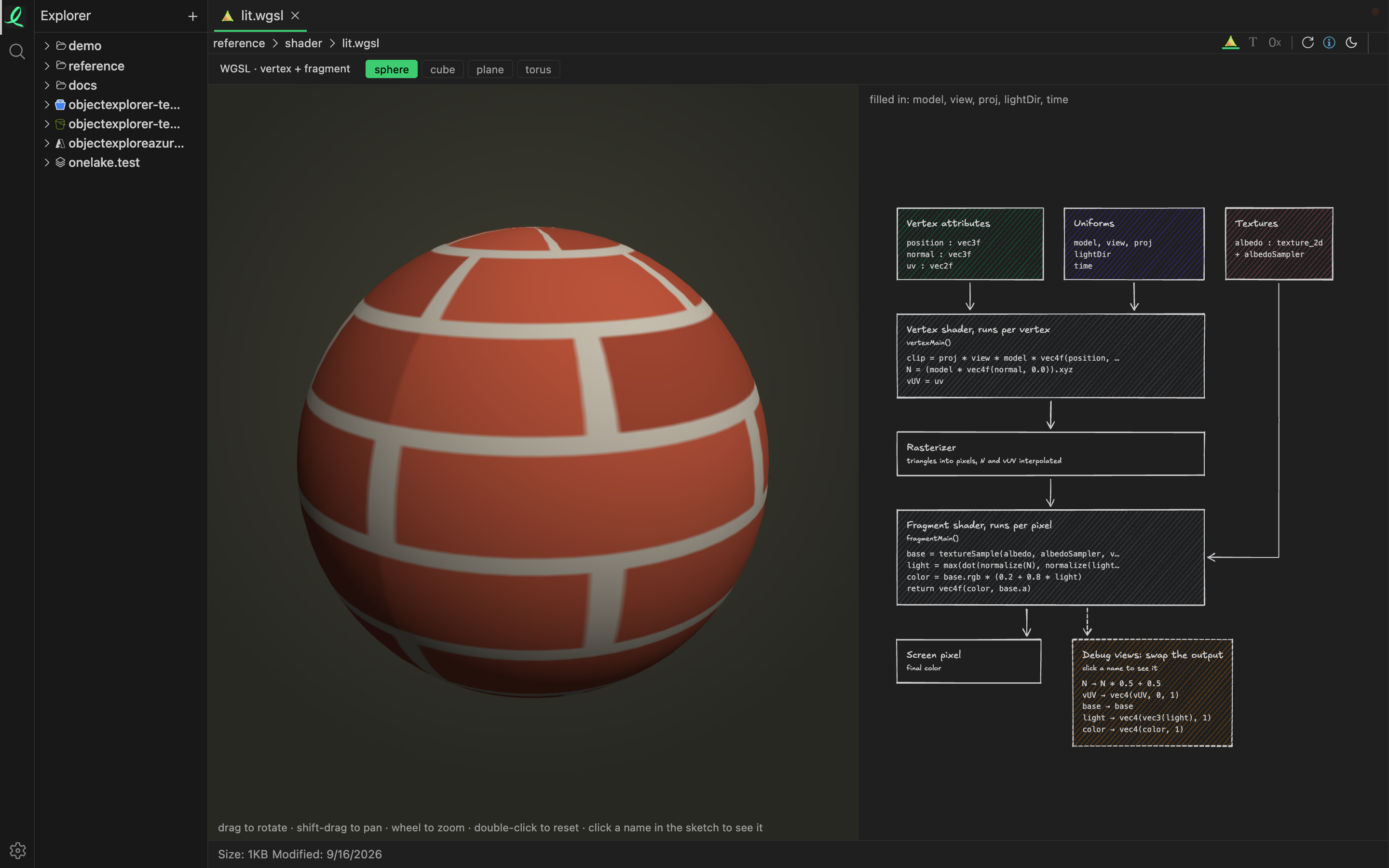
A shader opens as what it does: a live preview on the left, and on the right a control for each uniform above a diagram of the pipeline — what goes into each stage, what it reads, and what comes out.
Which shaders run
| Language | The preview runs on | Notes |
|---|---|---|
| WGSL | WebGPU | |
| GLSL | WebGL2 | a Shadertoy mainImage, a single stage, a .vert/.frag pair, or #shader sections |
Godot gdshader | WebGL2 | |
HLSL, Unity shader | — | a diagram only: no browser can compile HLSL, and the view says so |
A vertex and fragment pair is found by name — toon.vert beside toon.frag, sky.vs.glsl beside sky.fs.glsl — and a texture a shader samples is looked for in the same folder by its name. Where there is none, a checker is bound instead, so a stretch in the texture coordinates shows at a glance.
A compile error is listed with the line it points at. A compute shader draws no picture, and the view says that too.
The controls and the diagram
Uniforms the preview can fill in itself are recognised by name and type — the matrices, the clock, the canvas size, the pointer, the eye and the light — and listed once at the top. Every other uniform gets a control of its own.
Click a name in the diagram and that value is shown on the preview, as a colour. Click it again to go back to the picture. It is the quickest way to see what a normal, a coordinate or an intermediate term actually holds.
The same diagram is what the pipeline button shows for a 3D model.
Moving around
A shader drawn on a sphere, a cube, a plane or a torus moves like a model; one that covers the whole canvas turns a drag into its pointer. See moving around a view.
Next: Apple files.