 ObjectExplorer
 Archives
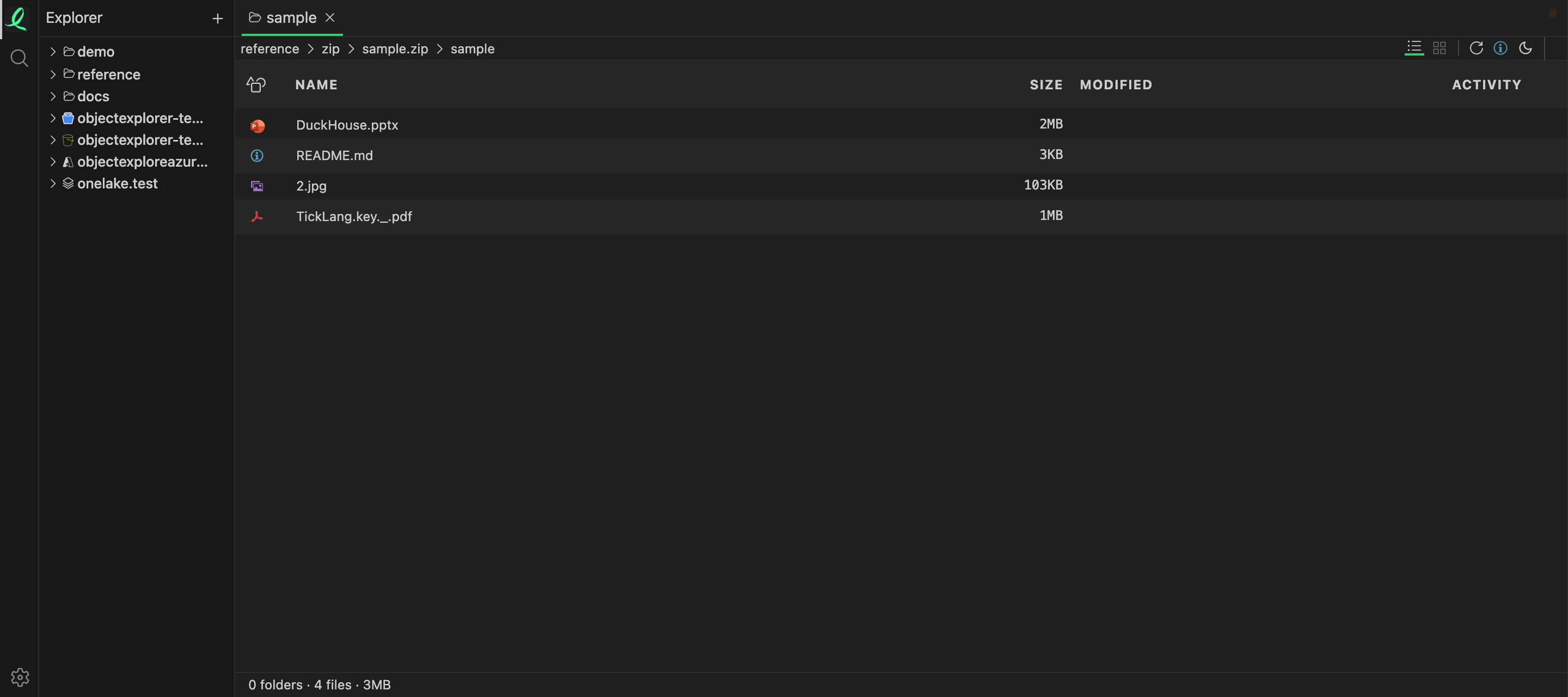
Step into a .zip, a .tar, a .7z, a .dmg, or an office file — .pptx and .xlsx are zips too — and browse the entries as if they were folders. Each entry previews with its own viewer, so a CSV inside a zip inside a bucket is still just a table, and a zip inside a zip opens the same way.
Nothing is extracted to disk: the archive's directory is read, and an entry's bytes are decompressed when you open that entry. In a bucket, a large zip is not even downloaded whole — see the cache.
| Browsable as a folder | Formats |
|---|---|
| Zips | zip jar war ear aar apk ipa whl nupkg xpi vsix |
| Other archives | tar 7z dmg |
| Compressed files | gz tgz bz2 tbz xz txz zst tzst |
| Office files | pptx potx ppsx ppt xlsx xlsm xltx docx dotx key |
| Ebooks and comics | epub fbz cbz cbt |
| Anki decks | apkg colpkg |
| CAD files | sldprt sldasm slddrw catpart — see CAD |
| Power BI files | pbix pbit — see Power BI |
| Databases on a disk | db sqlite sqlite3 duckdb — see databases |
A zip with no extension, or with one that says something else, is browsed all the same: the bytes say it is a zip.
rar, iso, deb, rpm, msi and pkg cannot be browsed yet.
Next: copy, move, rename, delete.