 ObjectExplorer
 The notebook
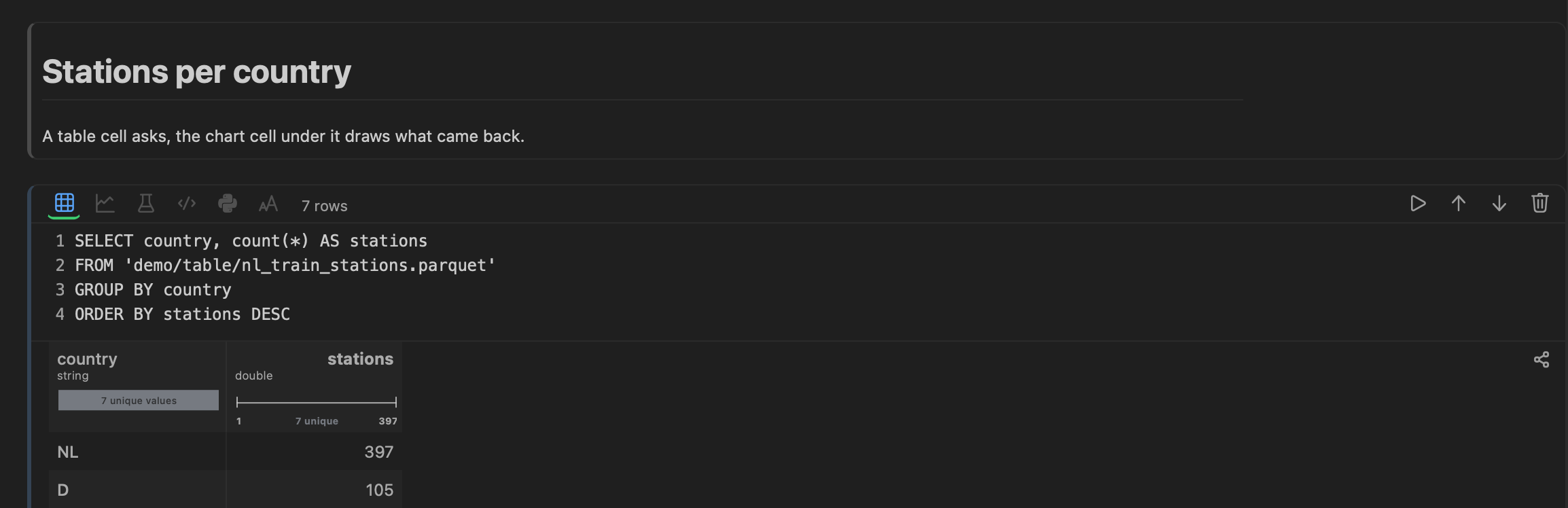
Open a table and it opens as a notebook: a column of cells, each one a few lines of code over its own output. The first two are already written — a SELECT * over the object you clicked, and a chart of what that query returned — so the file is queried and plotted before you have typed anything.
SELECT * FROM 'sales-eu/orders/2026-08-24.parquet' LIMIT 10000The query runs on your machine, in ObjectExplorer's own SQL engine. A local file is read where it is; an object in a bucket is copied once into the cache and read from there.
Cells are piped, not shared
Each cell reads the rows produced by the nearest cell above it that produced any, so a query narrows the data and everything under it — the chart, the model, the code — sees what came back.
A cell runs from its run button, Shift+Enter or ⌘Enter, so what you change is drawn when you ask for it.
| Cell | What it is |
|---|---|
| SQL | SQL, with the rows as a grid — column summaries and all |
| Chart | a plot of the rows above, as source you can edit |
| Model | gradient boosting over the rows above |
| Code | JavaScript over the same rows, with rows, columns, Plot and a small pandas-like pd in scope |
| Python | real Python in a venv you made, in a session that keeps its variables, with oe |
| Markdown | prose, shown when you run it; double-click to edit it again |
A Code cell's last value is its answer, with no return to write: rows or a pd frame become a grid that the cells below read, a Plot.plot(…) a chart, anything else is printed. console.log lines show above it. It is plain JavaScript without classes, generators or async.
Adding and moving cells
The + in the gap above or below a cell adds one there, of the same kind as the cell above it; the icons in a cell's toolbar change its kind. The arrows move it, the bin removes it, and the chevron on its left folds its code away so only the output shows.
They are kept
Notebooks are kept per object. Reopen the file next week — in another window, or after a restart — and your cells are still there, and they run again from the top so each one shows its answer.