 ObjectExplorer
 Recording a session
The desktop window writes down each session as it happens, so what happened can be played back afterwards: to see how a problem came about, or to show it to someone else.
What is recorded
One line per event, in the order they came:
- every click, drag, scroll and key, with the element it landed on;
- the text you typed, and the choices you made in menus and dialogs;
- the window opened, resized or focused;
- the messages the app printed, and when each file you opened was ready.
Nothing in it is sent anywhere. A recording is written as it goes, so a crash loses nothing that was already written.
Encrypted on disk
Each recording is encrypted as it is written, line by line, with a key of this install. The key is made the first time a session is recorded and kept in the system's keychain: the macOS Keychain, the Windows Credential Manager, or the Secret Service on Linux (where there is none, such as on a server, a file only you can read in ~/.objectexplorer/keychain). The app reads it without asking for a password. So the text you typed cannot be read from the file: not by another program, not from a backup or a copy of the disk. Playing a session back decrypts it on the way; a recording from another computer or another install cannot be played, and says so.
Where it goes
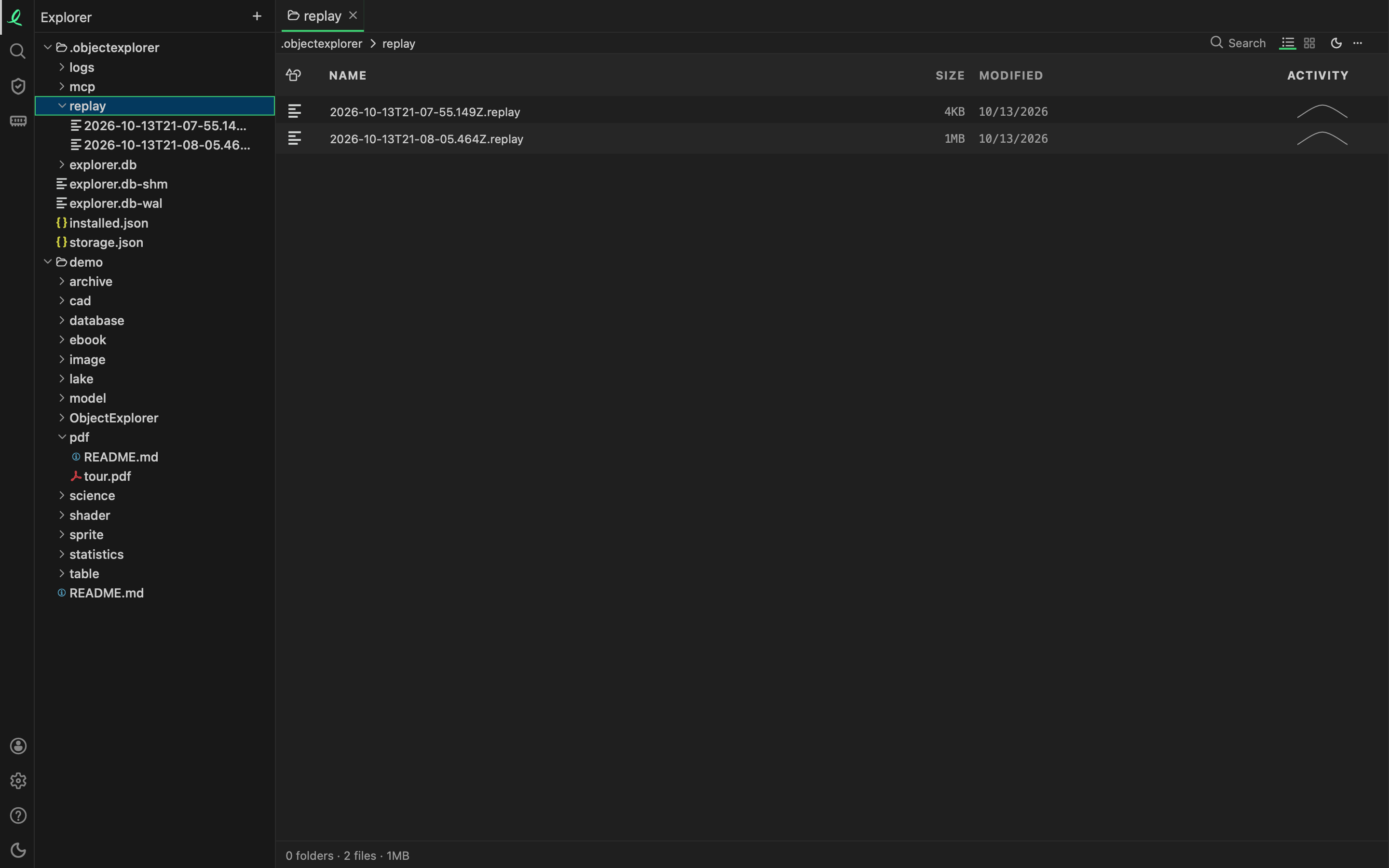
Each window session is a file of its own in ~/.objectexplorer/replay, named by when it started. The last 20 sessions are kept, and never more than 50 MB in all; one session stops growing at 50 MB. The browser version records nothing.
| Start with | What happens |
|---|---|
| nothing | this session is recorded in ~/.objectexplorer/replay |
record=<file> | this session is recorded in that file instead |
record=false | nothing is recorded |
Playing it back
objectexplorer window=true replay=~/.objectexplorer/replay/2026-10-11T17-36-44.166Z.replayThe window opens and the session is played into it, input by input. Each click goes to the element it went to before, wherever that element is now, and each step waits until the app has done what it did the first time, such as a file finished opening. A step that finds nothing to click stops the app, and says which element it looked for.
| Setting | What it does |
|---|---|
replay_speed=fast | the default: the waiting between inputs is skipped, the work is not |
replay_speed=1 | real time, as it was recorded; 2 twice as fast, and so on |
A session played back is not recorded over the one it plays; give it record=<file> to record it.
Sending one with a bug report
oe replay export ~/.objectexplorer/replay/2026-10-11T17-36-44.166Z.replay session.replaywrites a decrypted copy, session.replay, that plays on any computer. It is written on this machine and nothing is sent. It holds everything the session recorded, the text you typed too, so read it before you attach it.
This is the window's own session. An agent's calls are kept and replayed apart — see sessions, replay and audit.
Next: the tour and what is new.