 ObjectExplorer
 The tour and what is new
The tour
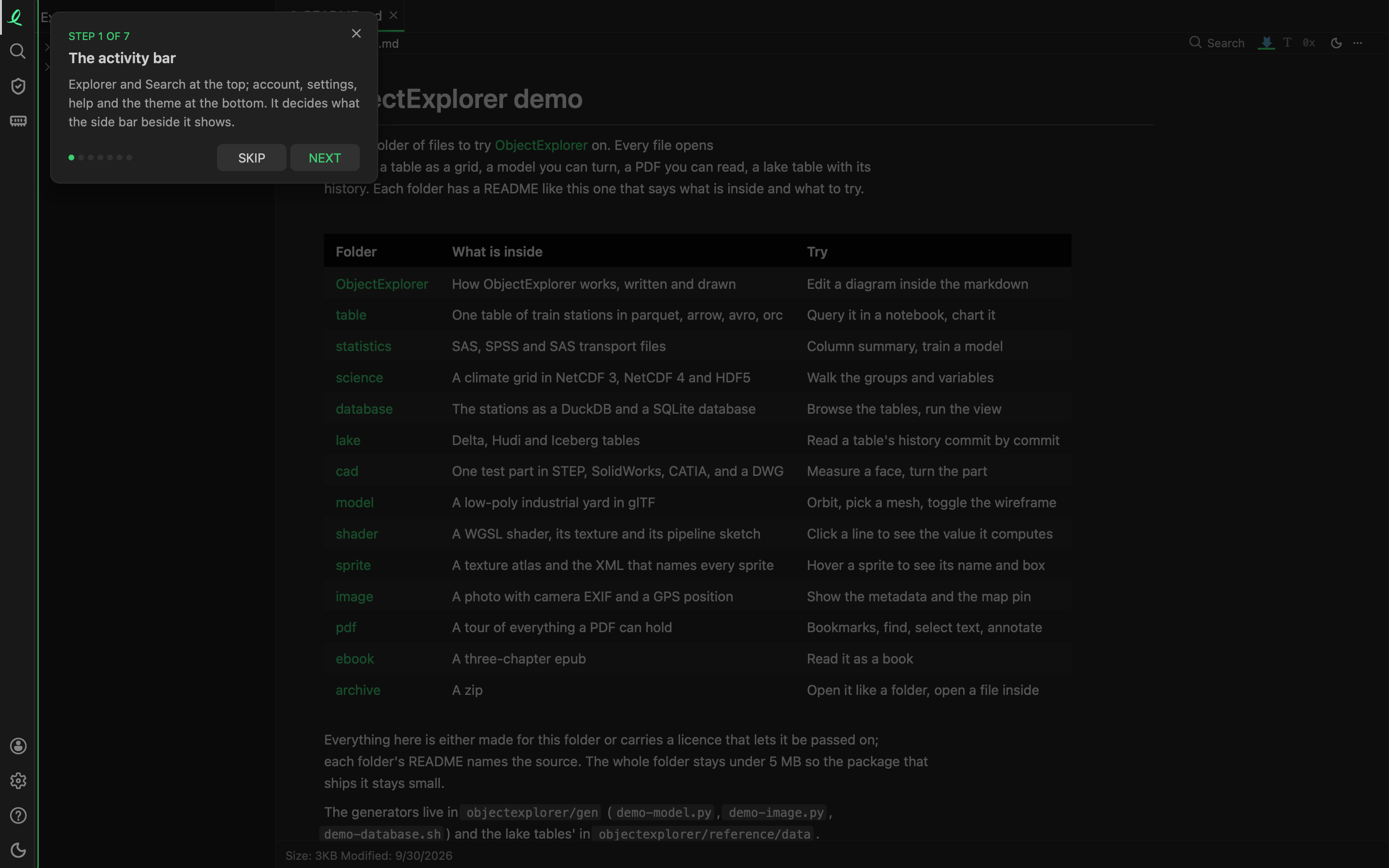
The first time the window opens, a short tour shows you around. Each card lights up one part of the window and darkens the rest:
- the activity bar, which decides what the side bar shows;
- the tree, every folder you added, on this machine or in the cloud;
- Add a folder, the way in for a folder or a bucket;
- the tabs, one per file, and splitting to read two side by side;
- search, by name with
⌘Por inside every file; - settings: folders, cloud accounts, the cache, the plan and updates;
- the ?, which shows the tour again.
Next (→ or Enter) and Back (←) walk the cards; Skip, the ✕ or Esc ends it. Once it has been shown it never starts by itself again. The ? at the bottom of the activity bar, Show me around, starts it any time.
What is new
Each release names what it brings. On a later start, the window points at the newest of them that you have neither used nor been shown, with one card: what it is, and Got it. At most one card comes up by itself a day, and none on the day the tour ran. Something you have already done is never pointed at.
What you have seen and used is kept on this machine, in ~/.objectexplorer/onboarding.json. On a server, what a signed-in person has used is kept by their email, so a card they dismissed in one browser does not come back in another.
Next: memory.