 ObjectExplorer
Editing text
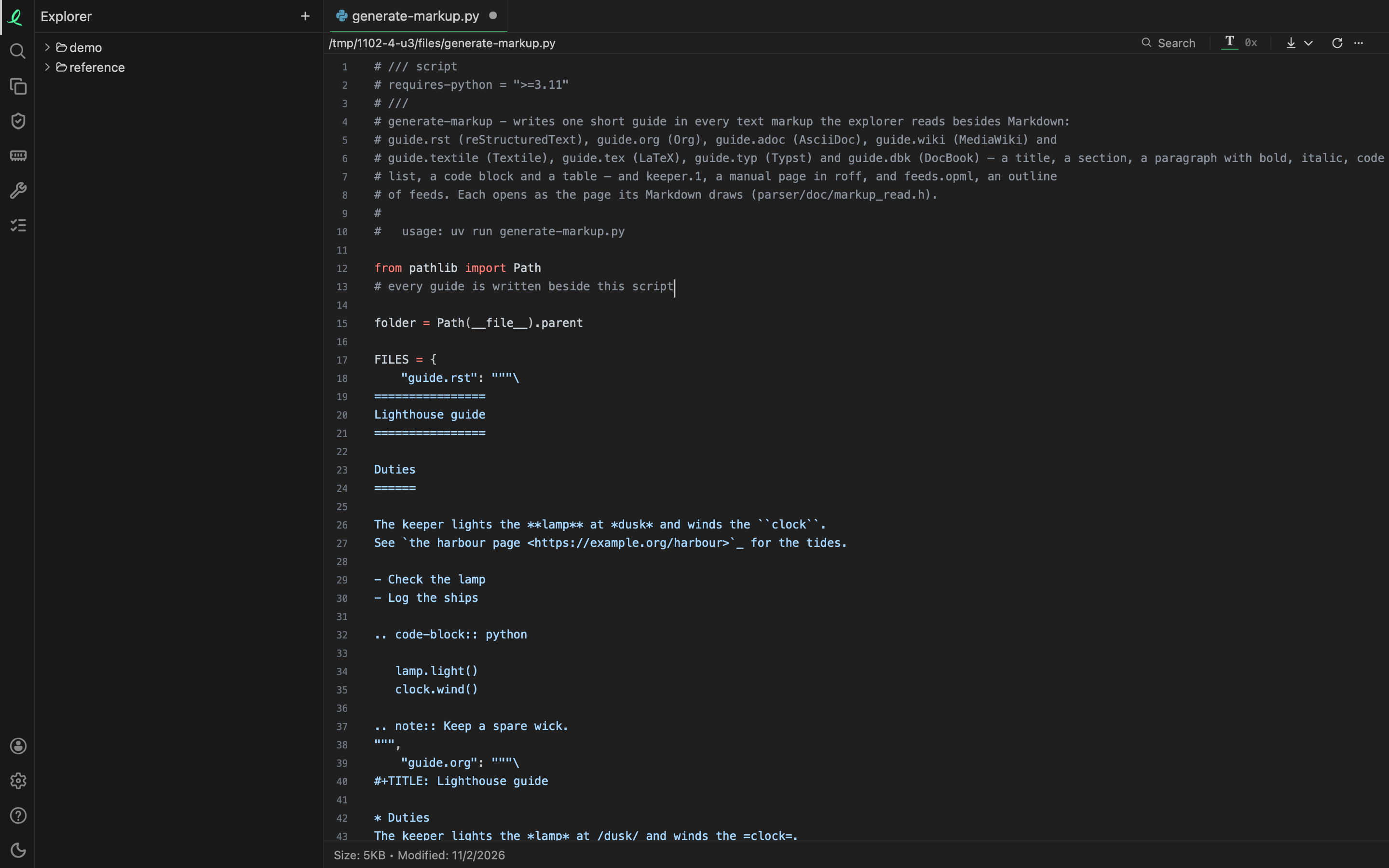
A text file on this machine is edited where it opens: code, a Markdown file's text, JSON, YAML, a log, any file whose Text view shows its lines. Click into the text and type; there is no separate edit mode to turn on.
A file that is not on this machine's disk is only read: one inside an archive, one in a bucket or on a server, and every file in a browser page. So is a file written in UTF-16.
Saving
⌘S saves the file. Until then a dot on its tab marks edits not saved, and the tab's ✕ says so on hover. Once saved, the foot of the pane says when, "Saved 14:02" in place of the size and date, or "Not saved:" and why.
A save writes the whole file beside the old one and then renames it over it, so nothing ever reads half a file. A large file opens as fast as before, since only the lines in view are read; the save writes it whole.
Settings → Editor has one tick: Save edited files automatically, a second after the last edit. With it on, ⌘S is never needed, and what was waiting is saved at once.
Undo
⌘Z takes back the last edit, and ⇧⌘Z puts it back. Both go on past a save: you can save, and still go back to what the file was before. The edits are kept while the tab is open, and forgotten when it closes.
Closing with edits not saved
Closing a tab, or quitting the app, with edits not saved asks first, in a box named Edits not saved:
| Button | What it does |
|---|---|
| Save | writes every file named, then closes |
| Don't Save | drops the edits; the file stays as it was on disk |
| Cancel | nothing closes |
Markdown and drawings
A Markdown file opens rendered; its Text view is where you write it, with the writing tool beside it. An Excalidraw drawing is edited in its own view. Both share the same dot on the tab, the same ⌘S and the same question on closing.
Next: measuring.