 ObjectExplorer
Point clouds and G-code
Point clouds as las laz e57 pcd, and a ply with no faces; a 3D printer's or a CNC (computer numerical control) machine's G-code as gcode gco g ngc
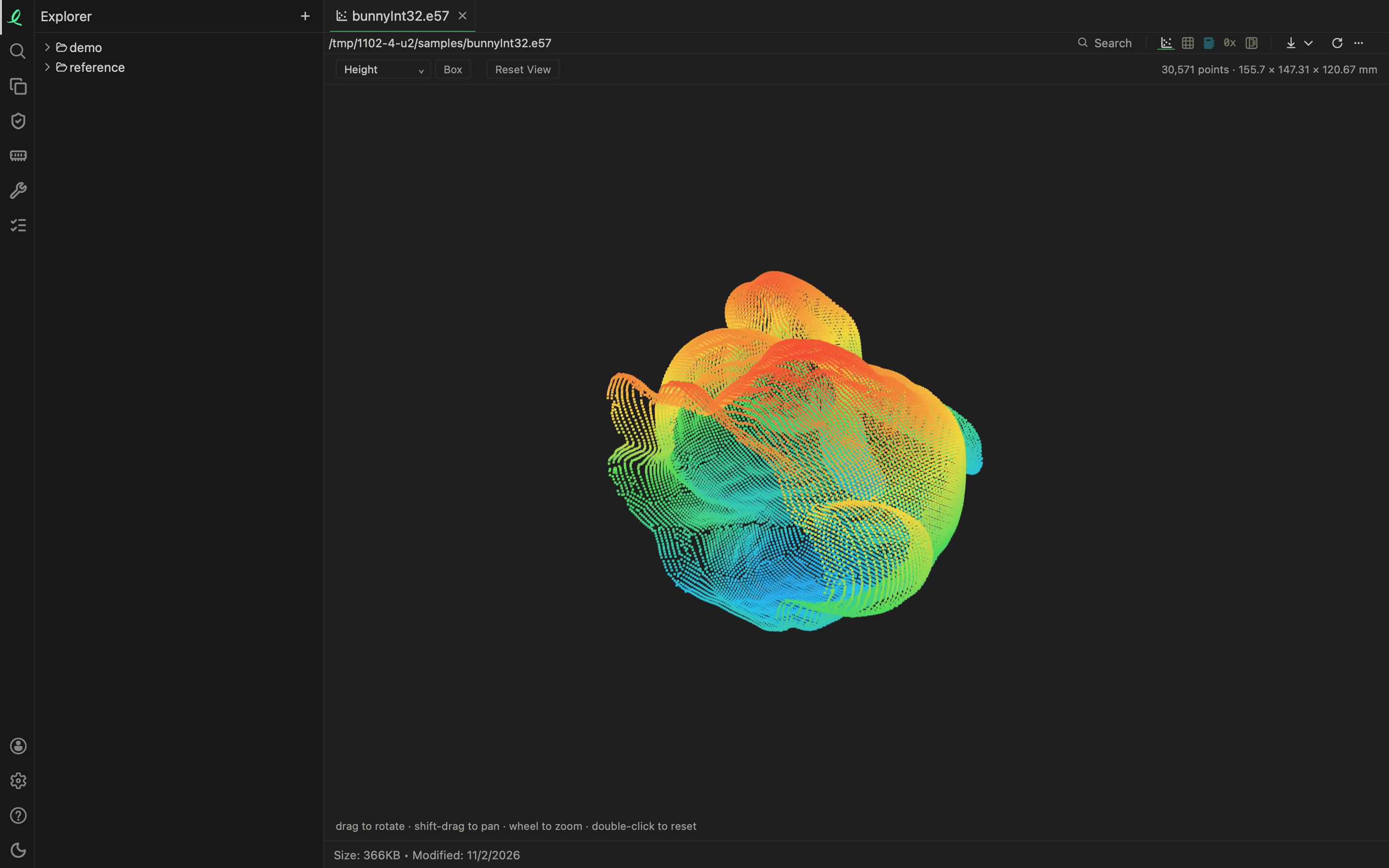
A scan opens as its points, and a print or a toolpath as its moves, drawn in 3D in the same view as a model. Drag to rotate, hold Shift to pan, use the wheel to zoom, and double-click to start over. Which format a file is, its bytes decide: a .las that is a well log's text is not taken for a scan.
Point clouds
| Format | Files | Read |
|---|---|---|
| LAS, the survey and lidar file | las | versions 1.0 to 1.4, point formats 0 to 10 |
| LAZ, LAS compressed by LASzip | laz | LAS 1.3 and before, and LAS 1.4's layered points |
| E57, the 3D imaging exchange | e57 | every scan in the file |
| PCD, the Point Cloud Library's | pcd | ASCII, binary and compressed binary |
| PLY | ply | a PLY with no faces; one with faces opens as its triangles |
The line above the view counts the points and gives the cloud's size. The list on the left of the toolbar colours them by what the file carries, its own colours first:
| Choice | Each point coloured by |
|---|---|
| Colour | the colour it carries |
| Intensity | how strongly it returned the light: dark faint, white strong |
| Classification | its class: ground brown, vegetation green, building red, water blue |
| Height | how high it is, blue lowest to red highest; always offered |
Box draws the bounding box, and Reset View goes back to where it opened.
A cloud of more than a million points draws about a million of them, evenly picked, and the line says how many it shows beside the count.
Points as a table
The table mode lists every point, a column a field, and SQL reads them all, not only the ones drawn:
SELECT classification, count(*), avg(z)
FROM 'survey.laz'
GROUP BY classification
A LAS or LAZ file is one table, its columns named as laspy names them: x y z, intensity, return_number, classification, gps_time, red green blue and the rest of its point format, and any extra bytes it declares. An E57 file has a table per scan, 'site.e57!/scan 0', and a PLY a table per element, 'mesh.ply!/vertex'. A PCD's fields keep their names.
A LAZ file of LASzip's first version, and a LAS version other than 1.0 to 1.4, say so by name.
G-code
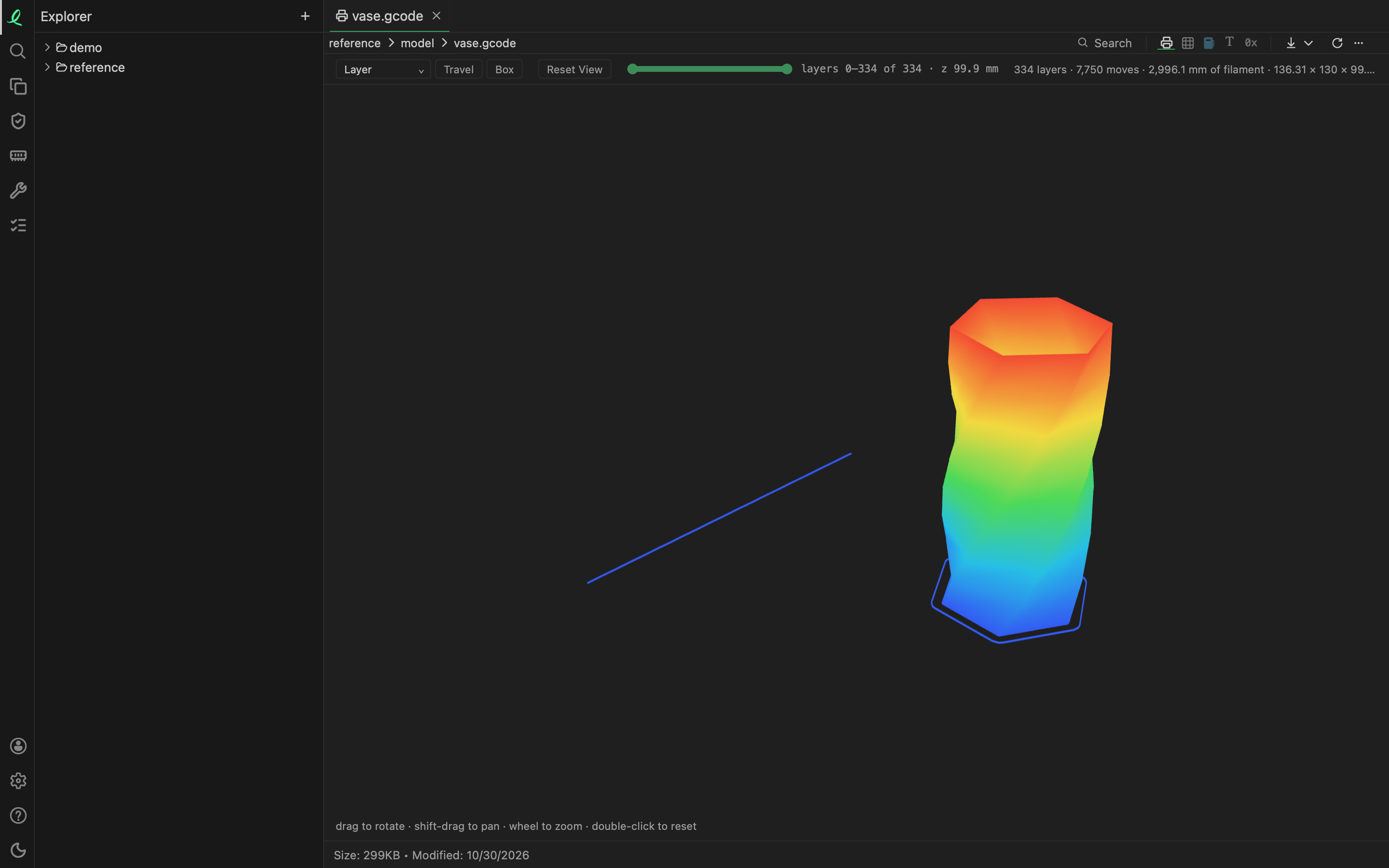
A G-code file opens as what the machine will do: every move drawn as a line, layer by layer. A file that pushes filament is a 3D printer's, and its moves are extrusions, travels, retractions and primes; otherwise it is a CNC machine's, and its moves are cuts and rapids. Arcs are drawn as arcs, and the slicer comments of PrusaSlicer and Cura give the layers; without them, a new height a move makes something at starts a new layer.
| Control | What it does |
|---|---|
| the colour list | Layer, blue the first to red the last, or Move Kind |
| Travel | moves that make nothing, on or off; Rapid for a machine, on at first |
| Box | the bounding box |
| the layer slider | the lowest and the highest layer shown — layers 0–139 of 139 · z 20.71 mm |
Move Kind colours a print's extrusions orange, travels blue, retractions red and primes green, and a machine's cuts green and rapids grey.
The line above the view counts the layers and the moves, and for a print the filament it uses — 139 layers · 20,222 moves · 1,706.2 mm of filament.
The table mode is the moves, a row each: line, command, kind, layer, x y z, e, extruded, feedrate, length and tool:
SELECT kind, sum(length) FROM 'part.gcode' GROUP BY kindA file with no G or M command in it is not G-code, and says so. A point cloud and a toolpath have nothing to measure.
Next: textures.