 ObjectExplorer
FTP, FTPS and SFTP
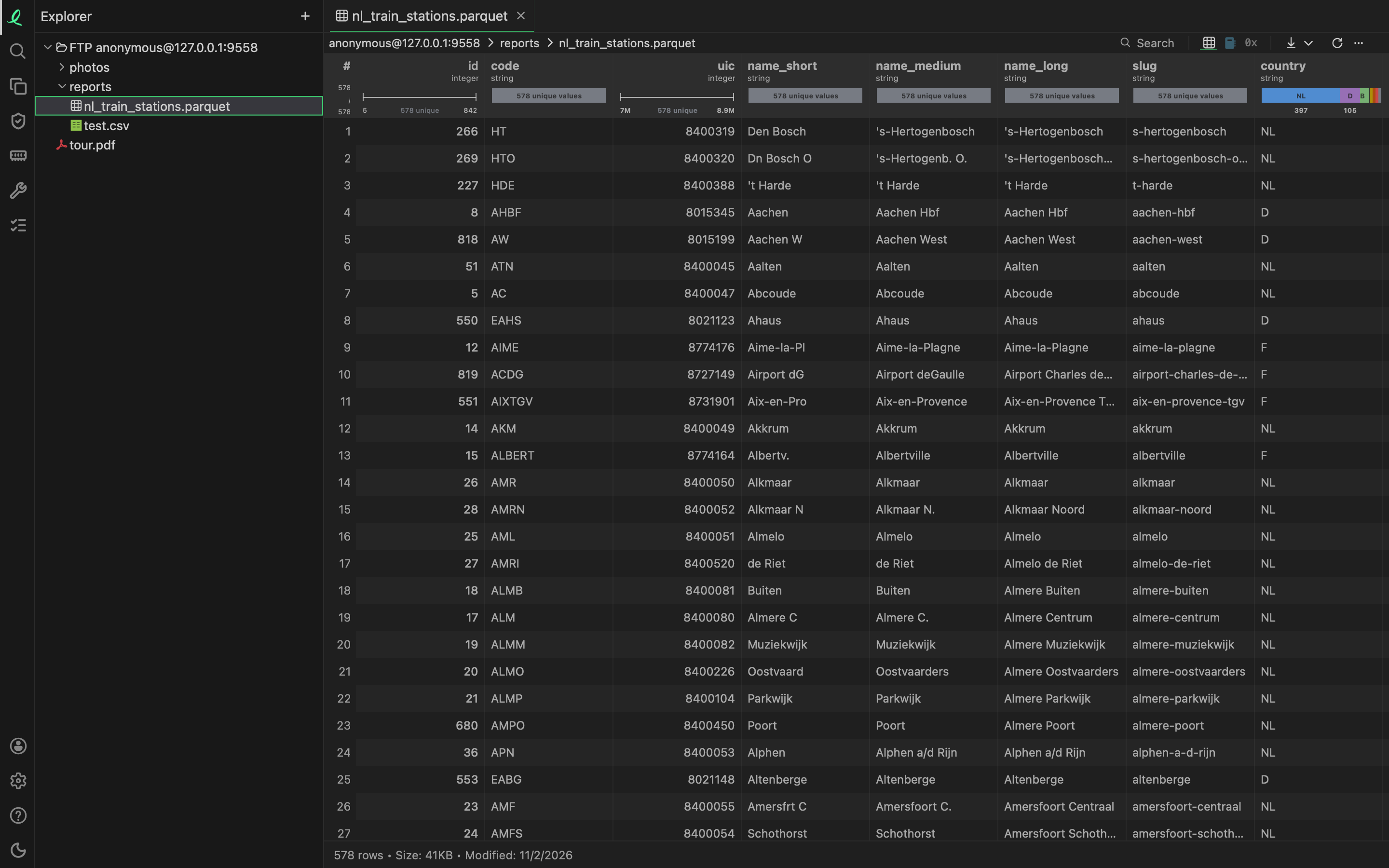
A server you reach by FTP (the file transfer protocol), FTPS (FTP over TLS, the encryption web sites use) or SFTP (file transfer over SSH, the secure shell) is a location like a bucket: its folders go in the tree, and a file on it opens in every view, downloads, converts, and is renamed, moved or deleted as any other. You can keep as many accounts as you like: one server as several users, or several servers.
Adding an account
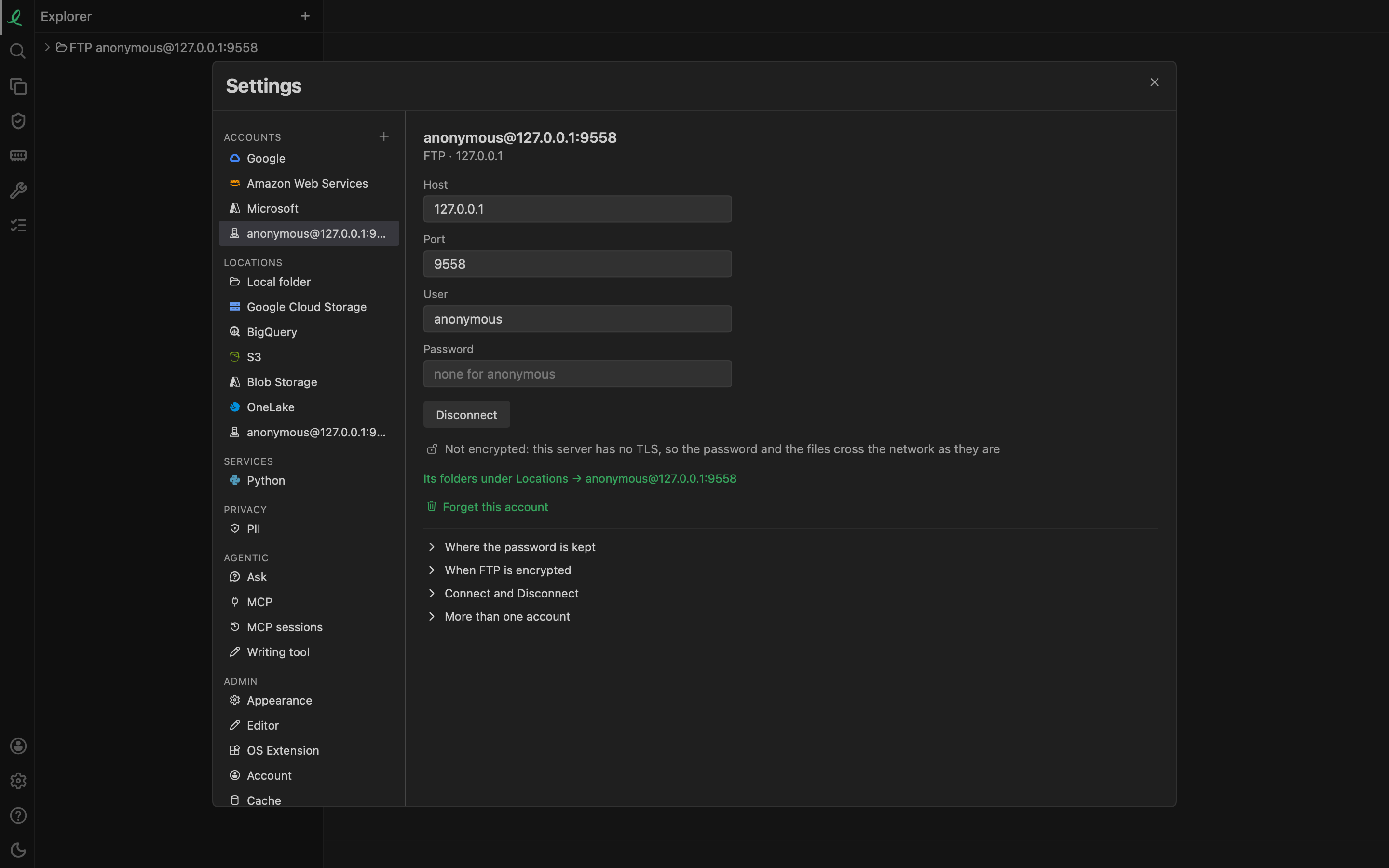
The + beside Accounts in Settings, or the + in the side bar's header, offers FTP…, FTPS… and SFTP…. Each opens an empty account:
| Field | What goes in it |
|---|---|
| Host | the server's name or address: example.com |
| Port | left empty for the protocol's own: 21 for FTP and FTPS, 22 for SFTP |
| User | your user on the server; FTP left empty signs in as anonymous |
| Password | the user's password; none for anonymous FTP, or for SFTP with a key file |
| Key file | SFTP only: a private key, ~/.ssh/id_ed25519 for example |
| Passphrase | SFTP only: the key's own passphrase, when it has one |
Connect tries the account on the server before it keeps it. Once it answers, the account is saved, its starting folder is put in the tree, and the account shows in Settings under its name, user@host (with :port after a port of its own). Its folder in the tree says the kind first: FTP rock@example.com, and a folder under it reports (SFTP rock@example.com), so the same user on the same server by FTP and by SFTP are told apart.
Under Locations, the account's row lists its starting folder and / with a tick each, and any other folder of it you added. Type a path from the server's top, /var/www, and Add puts that folder in the tree.
SFTP keys
SFTP signs in with a password, with the questions some servers ask in its place, or with a key file: an Ed25519 or RSA private key, in OpenSSH's own format or PEM. Default Ed25519 and Default RSA under the field fill in ~/.ssh/id_ed25519 or ~/.ssh/id_rsa. The key file stays where it is; the account keeps its path and reads it to sign in. The server keeps the public half in its authorized_keys, as for ssh.
Is the server the one you meant?
An SSH server proves itself with its host key. The app looks for it in ~/.ssh/known_hosts, which it reads and never writes, and in its own known_hosts in the app's folder. A server found in neither asks once, showing its key's SHA-256 fingerprint: Trust and Connect keeps it in the app's file. A server whose key has changed since is refused, since someone may be in between; if the key was changed on purpose, remove its line from the file that holds it.
An FTPS server, and an FTP one that offers TLS, shows a certificate, checked the way a web site's is. A certificate no certificate authority on this computer vouches for (a server's own, self-signed one) asks once in the same way, with its SHA-256 fingerprint, subject and expiry, and is kept in the same known_hosts.
Encrypted or not
- SFTP is always encrypted.
- FTPS always encrypts, and refuses a server that has no TLS.
- FTP encrypts when the server offers TLS, and otherwise speaks in plain text. The account then says Not encrypted: the password and the files cross the network as they are.
Connect and Disconnect
Opened again, an account's pane reaches its server. While it does, the button says Connecting…; then it is Disconnect. Disconnect keeps the account and its password, closes its connection and leaves its folders in the tree, where they ask you to connect again; Connect reaches the server again. Change a field and the button turns back into Connect, which tries the change before keeping it. Forget this account removes it and takes its folders out of the tree.
A server that is off, or does not answer, does not hold the app up. Its pane says why and offers Connect; its folder in the tree is marked "Not accessible: the server does not answer", and is asked again in the background, coming back by itself once the server answers.
Where the password goes
The password, and a key's passphrase, go to the system keychain (the macOS keychain, the Windows Credential Manager, the Linux Secret Service); storage.json keeps only a reference to it. In the account's pane a kept password shows as dots. See where the credentials go.
FTP, FTPS and SFTP are in the desktop app and in the page the command line serves, not in the instant page at objectexplorer.com/app, which reads only what you give it.
Next: the tree and the list.